Top 5 Sports News Apps for Staying Updated on the Go
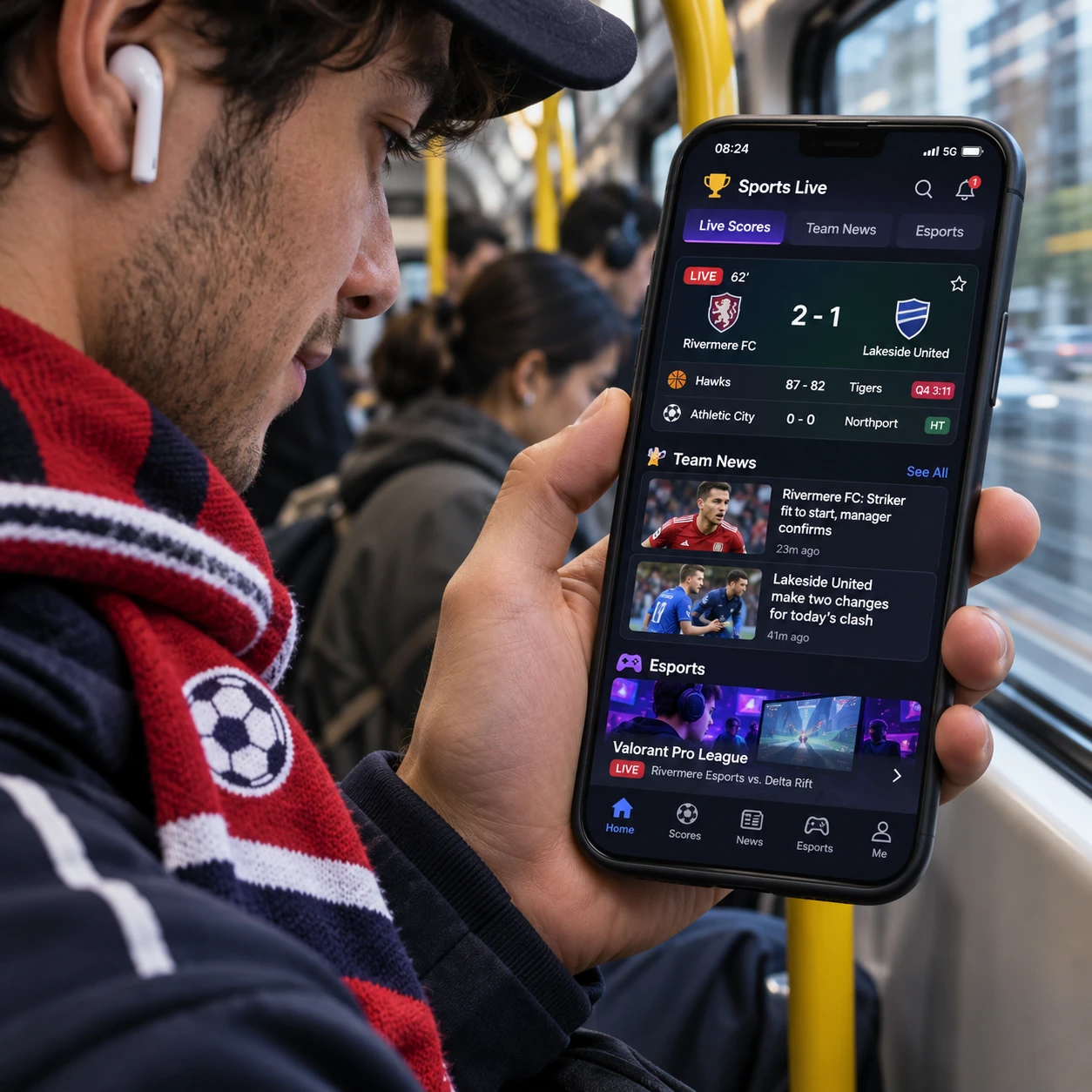
A close game can change in the time it takes to finish a commute. Sports news apps put live scores, match schedules, breaking news, and team updates on your phone, so you can follow along without keeping a browser open.
The right choice depends on what you follow and how you like to receive updates. Some apps focus on fast scoreboards, while others put more emphasis on reporting, personalized feeds, or a broad mix of leagues. Here are five established options to consider, plus a practical way to compare their mobile features. App availability and specific features can vary by country and change over time, so check the current app listing and settings before installing.
What to Look for in a Sports News App
A good sports news app makes the scores, stories, and schedules you care about easy to find and keeps alerts relevant. Compare coverage, update speed, personalization, and usability before settling on one.
Start with coverage. Check whether the app follows your leagues, teams, and competitions, not just the biggest events. If you follow several sports, a broad catalog may matter more than deep coverage of one league. Esports fans should look for specific games and tournaments in the app rather than assuming that a general sports section includes them.
- Live scores and schedules: Look for clear scoreboards, game status, and upcoming match times in your time zone.
- Breaking news: Decide whether you want headlines, in-depth reporting, or both.
- Personalized feeds: Following teams and leagues can reduce scrolling, though setup may take a few minutes.
- Push notifications: Useful for kickoff, final scores, and major news, but noisy if every event triggers an alert.
- Mobile usability: Check that scores and key details are readable at a glance and navigation feels straightforward.
- Data and battery use: Live video and frequent refreshes can use more data and power than text scores. Prefer Wi-Fi for video and review background-refresh settings if battery life is a concern.
A simple test helps: follow one team, one league, and one upcoming event. If the home screen surfaces those updates without burying them in unrelated content, the app is likely a practical fit.
The Top 5 Sports News Apps
These five apps offer different ways to follow sports on a phone, from scores-first tracking to news-led coverage. Their exact leagues, features, and availability vary by region, so confirm that your priorities are supported before relying on one.
1. ESPN
ESPN is a familiar option for fans who want sports news, scores, and video in one app. Its appeal is the combination of editorial coverage and score-following tools across many major sports. You can look for your teams and leagues, then check the available feed and alert controls in your version.
Best suited to: Readers who want a mix of headlines and scores. Its range can be useful, although the volume of content may feel busy if you only want a compact scoreboard.
2. theScore
theScore centers the mobile experience on scores, news, and followed teams. It may suit fans who want quick access to game updates alongside related headlines, rather than opening separate apps for every check.
Best suited to: People who regularly follow multiple teams and want a personalized feed. Review the notification categories during setup; fine-tuning them makes a noticeable difference to the day-to-day experience.
3. Flashscore
Flashscore is a scores-oriented choice for tracking fixtures and results across a wide range of sports and competitions. Its appeal is the ability to check match status and schedules quickly, particularly if you follow leagues that receive less attention in general news coverage.
Best suited to: Fans who prioritize live scores and broad competition listings. The interface can surface a lot of events, so selecting favorites helps keep the main view manageable.
4. Yahoo Sports
Yahoo Sports combines sports headlines, scores, and league-related information in a general sports app. Depending on your location and the current app version, the mix of content and available features may differ.
Best suited to: Readers who want a straightforward place to check news and scores. Before making it your main tracker, confirm that your preferred leagues and the alert types you want are available in your region.
5. BBC Sport
BBC Sport offers news, results, and coverage across a range of sports, with particular relevance for audiences following UK and international competitions. Its news-led approach can complement a separate app if detailed live score tracking is your main need.
Best suited to: Fans who value reporting and coverage of major events. Check the current app and regional availability for the sports and competitions you follow most closely.
Think of these as starting points, not fixed rankings. App features change, and an app that works well for one league may be less useful for another. For esports, verify that the specific title and tournament are listed; general sports coverage does not guarantee esports results or alerts.
How the Apps Compare
The main difference is emphasis: some apps make live scores central, while others give more space to news and editorial coverage. Your best match is the one that covers your competitions and presents the updates you need with the least friction.
- For live scores: Compare Flashscore and theScore first if scoreboards, fixtures, and quick match checks lead your checklist.
- For news alongside results: ESPN and Yahoo Sports offer a broad mix to explore, while BBC Sport may appeal to readers who put reporting first.
- For personalization: Check how easily each app lets you follow and unfollow teams, leagues, and competitions. Personalization is only helpful when it is easy to adjust.
- For broad coverage: Search for a less prominent league you follow. A large catalog is more meaningful when it includes your actual competitions.
There is no universal winner for speed or usability: network conditions, device settings, and region all affect what appears on screen. Compare the same event in two apps, then see which delivers the clearest score and most useful context without unnecessary alerts.
Choosing an App for Your Sports and Esports Interests
Choose an app by checking the exact leagues, games, and competitions you follow, then test how well it handles their scores and updates. Broad sports branding alone does not confirm coverage of a particular tournament or esports title.
Use this quick coverage check before committing:
- List your must-follow events. Name a few teams or leagues, plus any esports games and tournaments you want to track.
- Search each app. Confirm that the competition appears in search or the follow menu, and check whether it offers scores, schedules, and news.
- Inspect update depth. A listing may show a final result but not provide live match updates. Check the detail page for the information you need.
- Test your usual routine. Open the app during a match or check its schedule before an event. Notice how quickly you can find the score and relevant story.
Esports schedules and coverage can be especially fragmented across titles and tournament organizers. If a general sports app does not list a competition, use a dedicated source for that game rather than assuming an empty search means the event is not happening. A two-app setup can be more reliable than expecting one app to cover every sport and game equally well.
Set Up Alerts Without Notification Overload
To avoid notification overload, follow only the teams or events you care about and enable a small number of alert types. Start with high-value updates, then add more only if you find yourself missing useful information.
A sensible setup takes only a few steps:
- Follow your favorite teams and competitions, not every league in the app.
- Enable the alerts you would act on, such as match start, final score, or major team news.
- Disable duplicate alerts if you follow the same event in more than one app.
- Review notification settings after a week and remove anything that feels repetitive.
Use your phone’s notification controls as well as the app’s settings. You can often silence an app during work or sleep hours without unfollowing a team. If battery or data use matters, limit background activity where your device allows it and avoid autoplaying video on a mobile connection.
A common mistake is turning on every alert during installation. The reasoning is understandable: it seems safer than missing a big moment. In practice, a constant stream makes important updates easier to overlook. Begin with two or three alert categories, then adjust based on what you actually read.
Final Pick: Match the App to Your Routine
The right sports news app is the one that fits your update routine and reliably covers the competitions you care about. Choose a scores-first app for quick checks, a news-led option for reporting, or a combination if your interests span sports and esports.
If you check a score between tasks, prioritize a clean live scoreboard and selective push notifications. If you read news throughout the day, look for a personalized feed with stories from your teams and leagues. Fans of several sports should test coverage breadth, while esports followers should confirm game and tournament listings directly.
Try one app for a week before adding another. Follow a small set of teams, pay attention to alert relevance, and check whether the home screen gets you to the right score quickly. That short test will tell you more than a feature list, and it helps keep mobile updates useful rather than distracting.
Frequently Asked Questions
Which sports news app is best for live scores?
Flashscore and theScore are worth comparing if live scores are your priority. Coverage and update details vary by competition, so check a league you follow before choosing.
Can sports apps send alerts for specific teams?
Many sports apps provide ways to follow teams or competitions and manage related notifications. The available alert types vary, so review the app’s settings and your phone’s notification controls.
Do sports news apps cover esports?
Some may include selected esports games or events, but coverage is not consistent across apps. Search for the specific title and tournament you follow, and use a dedicated esports source if the listing is missing.
How can I reduce sports app notifications?
Unfollow competitions you do not need, disable low-priority alert types, and turn off duplicate notifications from other apps. Keep only the updates that help you follow a match or make a timely decision to check in.